Designers often juggle tight deadlines, multiple file formats, and strict quality requirements. Audio is no exception—whether it’s for UI sounds, video editing, or presentations, compressed MP3 files don’t always cut it. That’s where a reliable MP3 to WAV converter becomes essential.
WAV files preserve raw audio data, making them ideal for editing and professional output. The challenge? Converting efficiently without sacrificing quality or wasting time.
Why Designers Still Rely on WAV
MP3 is convenient, but it’s a lossy format. Every time you compress audio, some data disappears. For casual listening, that’s fine. For design work, it’s limiting.
WAV files, on the other hand:
- Retain full audio fidelity
- Allow precise editing in tools like Adobe Audition or Premiere
- Avoid artifacts that can stack during re-export
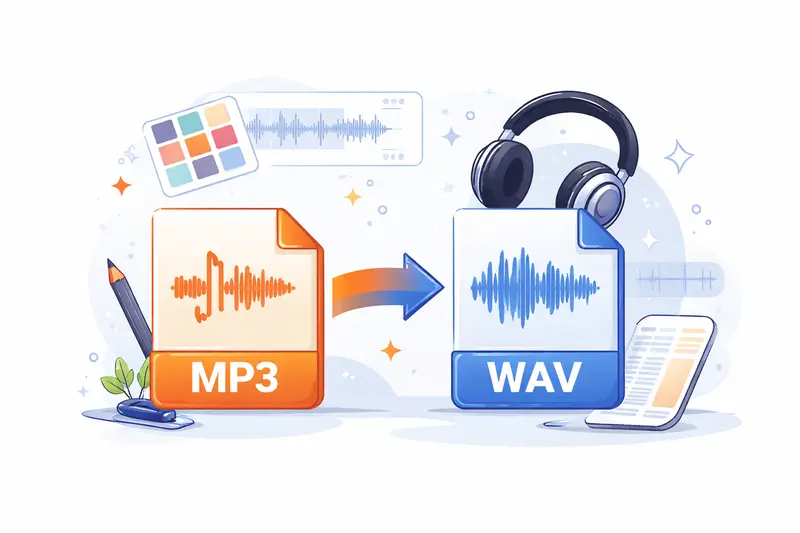
If you’re working on motion graphics or UI sound design, starting with high-quality audio makes a noticeable difference in the final output.
A Practical Way to Convert Without Slowing Down
Instead of installing heavy desktop software, many designers now use browser-based tools like https://filemazing.com/audio-converter.
Filemazing stands out because it’s built for real workflows—not just one-off conversions.
Here’s what makes it useful:
- Runs entirely in your browser
- Supports multiple audio formats beyond MP3 and WAV
- Handles batch uploads when you’re working with multiple assets
- Processes files in the background so you can keep working
If your audio files come bundled in ZIP folders from clients, you can first unpack them using an archive extraction tool like https://filemazing.com/archive-extractor before converting.
How the Conversion Workflow Feels in Practice
Let’s walk through a realistic scenario.
A UI designer receives:
- 18 MP3 sound effects
- Total size: ~120MB
- Intended for a mobile app interface
What happened during testing:
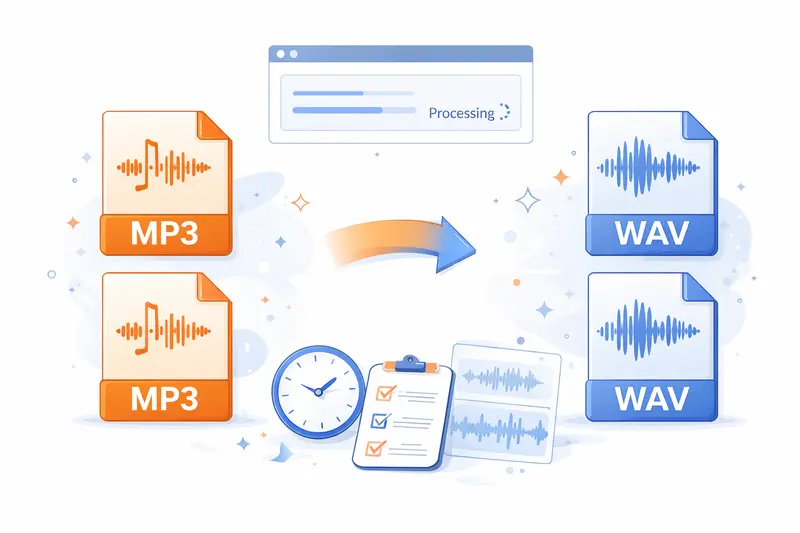
- Files were uploaded directly via browser
- Conversion to WAV was queued automatically
- Processing continued while other tasks were done
- All files were ready for download within minutes
The result:
- Clean, uncompressed WAV files
- No noticeable distortion
- Consistent output across all files
Practical tip (based on experience):
If you plan to edit audio further, avoid re-compressing back to MP3 too early. Keep everything in WAV until the final export stage to prevent cumulative quality loss.
Quality vs File Size Tradeoffs
This is where many designers get tripped up.
WAV files are significantly larger than MP3. That’s the price of quality.
Here’s the tradeoff:
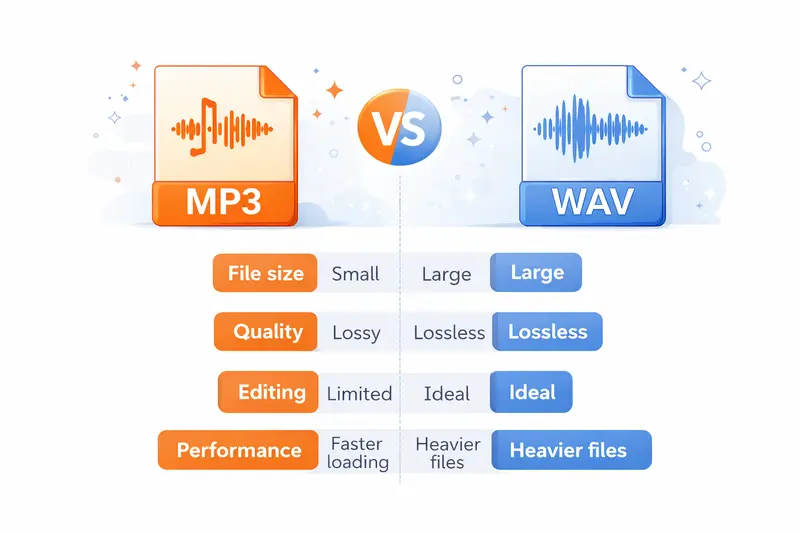
| Factor | MP3 | WAV |
|---|---|---|
| File size | Small | Large |
| Quality | Lossy | Lossless |
| Editing | Limited | Ideal |
| Performance | Faster loading | Heavier files |
For mobile apps, you might:
- Edit in WAV
- Export final assets in optimized formats
For video production, staying in WAV throughout is often worth the storage cost.
Where This Tool Fits in Professional Workflows
For designers working in fast-paced environments, Filemazing integrates smoothly into daily tasks.
Common scenarios:
- Preparing audio assets for app prototypes
- Converting client-provided MP3s into editable formats
- Cleaning files before publishing (you can also remove metadata from media files using https://filemazing.com/metadata-scrubber)
- Securing sensitive audio before sharing using a tool to password-protect converted files like https://filemazing.com/encrypt-file
The flexibility comes from not being locked into a single format or workflow.
What You Don’t Immediately Notice (But Matters)
One subtle advantage is cost transparency.
Instead of subscriptions, Filemazing uses tokens. Each conversion depends on:
- File size
- Duration
- Processing complexity
This makes it easier to estimate costs upfront—especially useful for teams handling large batches.
Another important detail:
Files are processed temporarily and cleaned shortly after. There’s no long-term storage, which is critical when working with client assets or unreleased content.
When an MP3 to WAV Converter Isn’t the Best Choice
There are cases where converting to WAV doesn’t add value:
- If the original MP3 is already low quality
- If the audio is only for quick previews
- When storage constraints are tight (e.g., lightweight mobile builds)
In these situations, sticking with MP3 or using optimized formats may be more practical.
Frequently Asked Questions
Does converting MP3 to WAV improve quality?
Not exactly. It preserves the current quality without further loss, but it can’t restore data that was already compressed.
Can I convert multiple files at once?
Yes, batch processing is supported, which is helpful for design projects with many assets.
Is browser-based conversion safe?
With tools like Filemazing, files are treated as temporary and removed after processing, reducing long-term privacy risks.
Final Thoughts
For busy designers, the goal isn’t just conversion—it’s maintaining quality while keeping workflows efficient.
A dependable MP3 to WAV converter like Filemazing removes friction:
- No installations
- Predictable costs
- Flexible for both quick edits and larger projects
If audio plays any role in your design work, upgrading your conversion process is a small change that can noticeably improve your output.